SHARING A JOB POSTING ON LINKEDIN
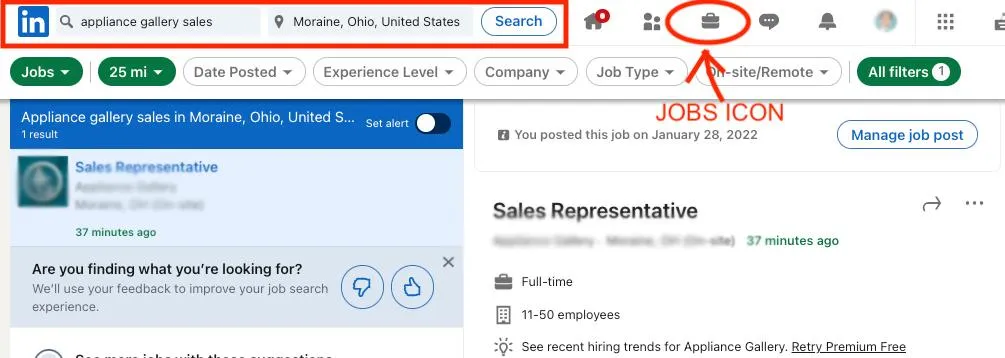
Log into your LinkedIn account and select the Jobs icon on the toolbar at the top of the page. Proceed to type the business name and position into the search bar, followed by the job location.
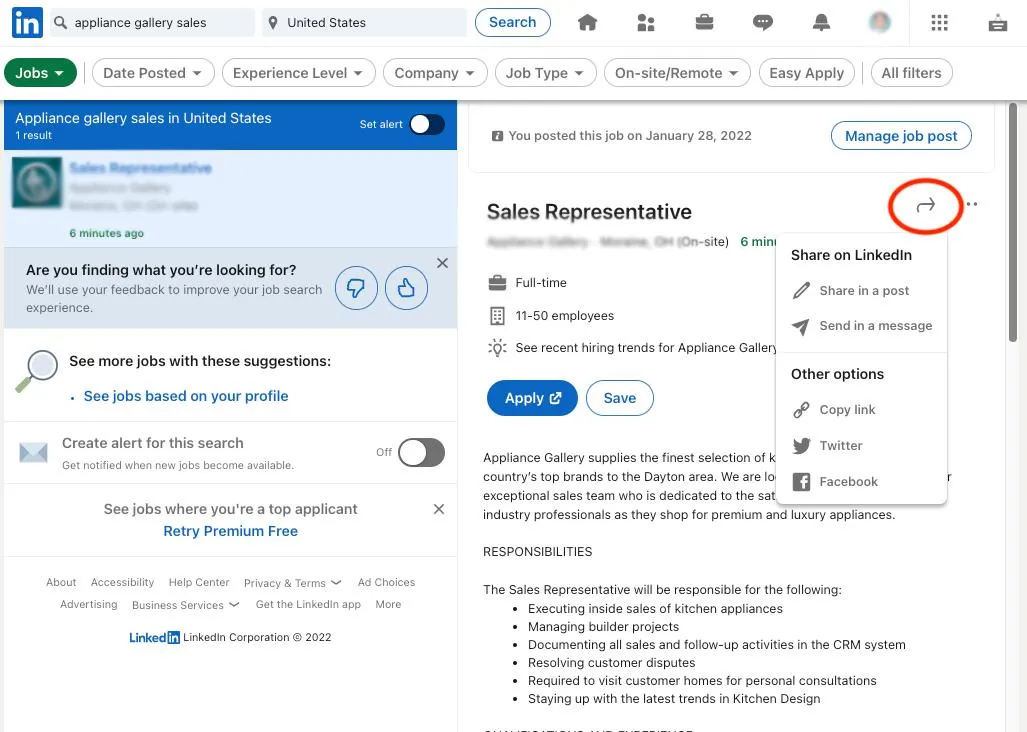
Select the job posting you would like to share from the left-hand side and then click the “Share” button to the right of the job title. Select “Share in a post” to post the job to your personal LinkedIn profile.
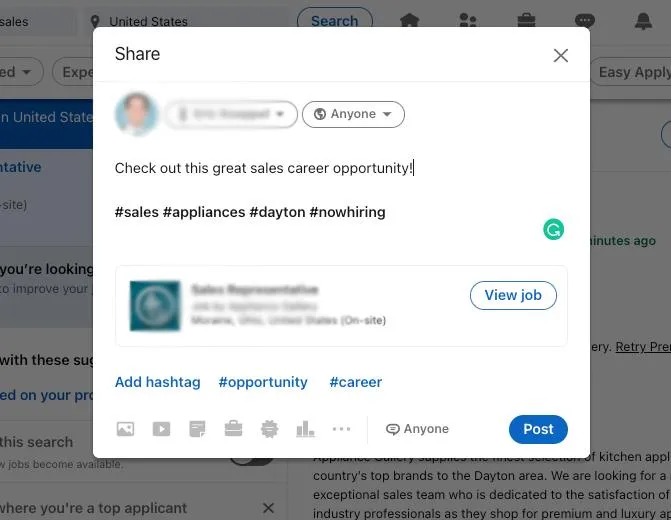
In the Share pop-up window, type a message that you would like to include in the post. You can also add hashtags by typing them out or selecting “Add hashtag” on the bottom left of the pop-up window. Finally, select “Post” to publish the post.