
GRANTING META ACCESS: ALTERNATIVE PROCESS
Many of our digital accounts use our primary business name Riley & You. You may be asked to grant access to either Riley & You or AffluentBridge™, depending on the platform. The following processes will allow us the access necessary to run Facebook and Instagram advertisements for your business.
The following steps offer an alternative method for giving AffluentBridge the access needed to run ads with your Facebook and Instagram accounts. Use these steps if you are unable to Accept Facebook Page Access Request.
Create a Business Account if Needed
1- Go to business.facebook.com/overview
2- Click Create account.
3- Enter a name for your business, your name & work email address, and click Next.
4- Enter your business details and click Submit.
Add Your Page to Your Business Account if Needed
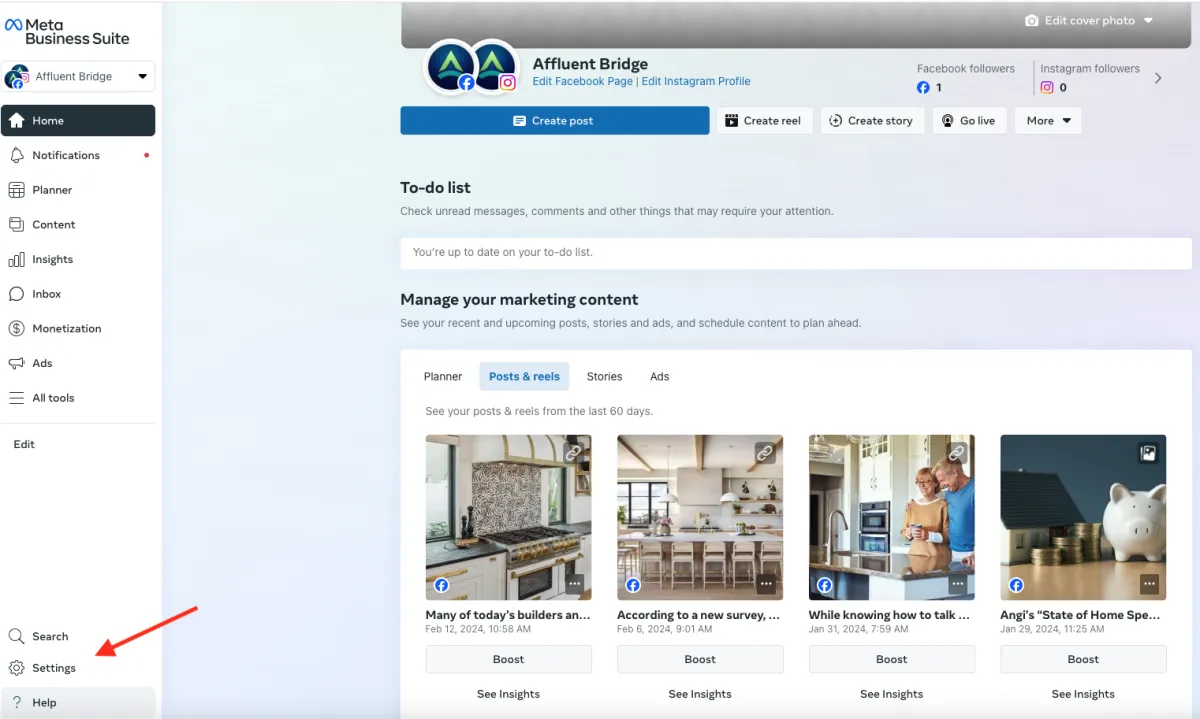
1- Go to business.facebook.com and then go to Settings on the bottom left.
2- Select Pages from the Accounts tab on the left and then select Add Page on the top right.
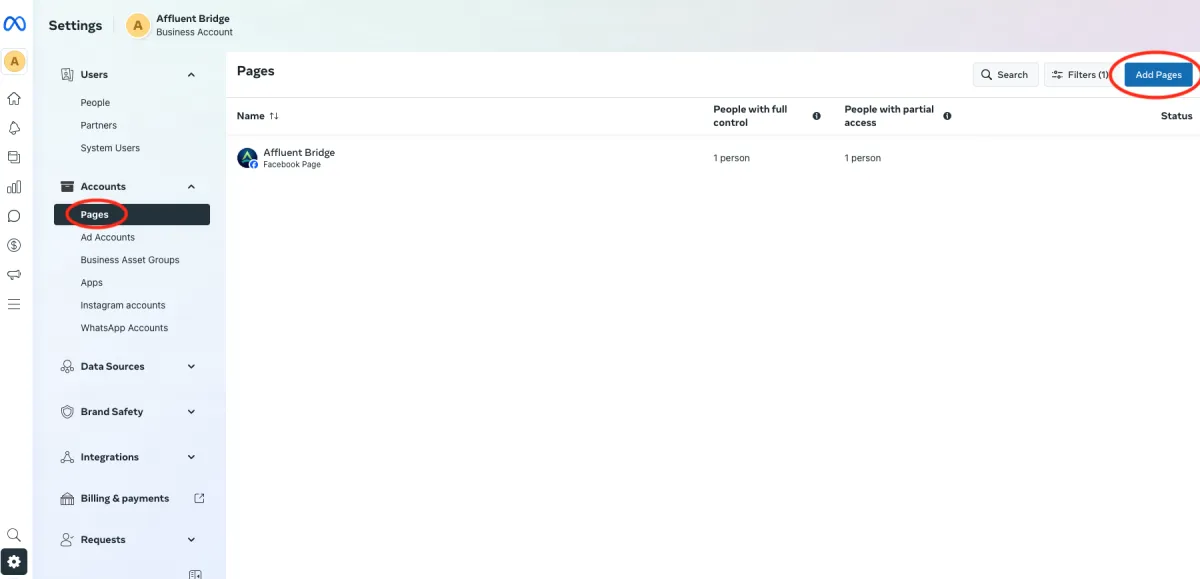
3- Enter the Facebook Page name or URL.
4- Select Add Page.
Grant Partner Access
1- Go to business.facebook.com
2- Go to Settings on the bottom left.
3- Below Users, click Partners.
4- Click Add. Select Give a partner access to your assets.
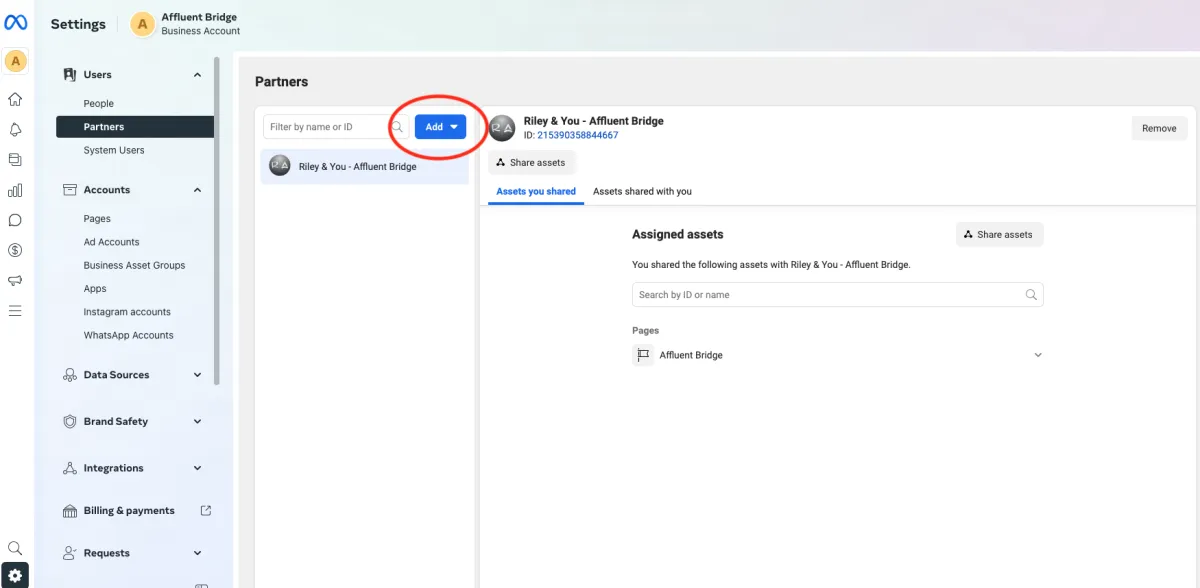
5- Enter the Riley & You/AffluentBridge business ID 215390358844667 and then click Next.
6- Choose your business page(s). For each asset, choose Ads and Insights.
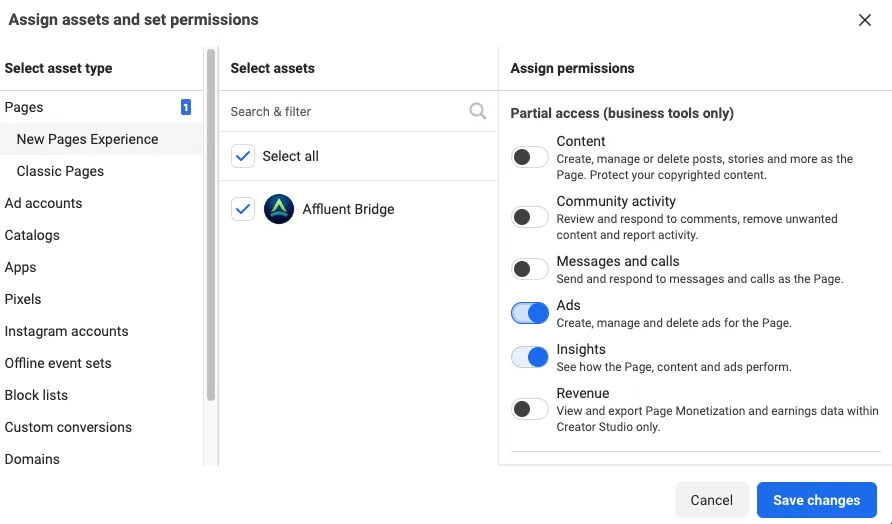
7- Click Save changes.