
GRANT ACCESS TO YOUR META AD ACCOUNT
Many of our digital accounts use our primary business name Riley & You. You may be asked to grant access to either Riley & You or AffluentBridge™, depending on the platform. The following processes will allow us the access necessary to run Facebook and Instagram advertisements for your business.
PAGE & AD ACCOUNT ACCESS
Follow the steps below to give Riley & You – AffluentBridge access to your Meta Pages and/or Ad Account.
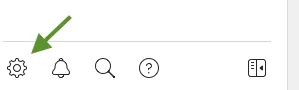
Go to Facebook Business Suite. Click the Settings icon (gear) on the bottom left of Business Manager.
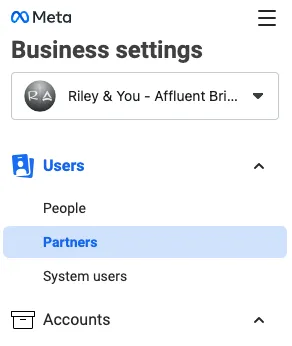
Under Users on the left-hand side, select Partners. If you do not see Users listed on the left-hand side, you may need to click on Business Settings to find the correct menu.
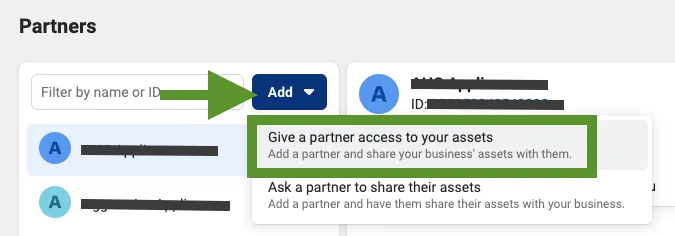
Select Add and choose “Give a partner access to your assets.” Paste the Riley & You – AffluentBridge Business Manager ID 215390358844667 and choose Next. Under Pages select your page in the middle column and then select Facebook access in the right column.
If you would like us to manage your advertising (otherwise skip this step) – Select Ad Accounts in the left column, then select your ad account in the middle, then choose Manage Ad Account in the right column. Select Save changes.
INSTAGRAM ACCESS
If you plan to run Instagram ads, your Instagram account must be connected. This requires you have a Professional Account. Follow the steps below to ensure your Instagram account is a Professional Account.
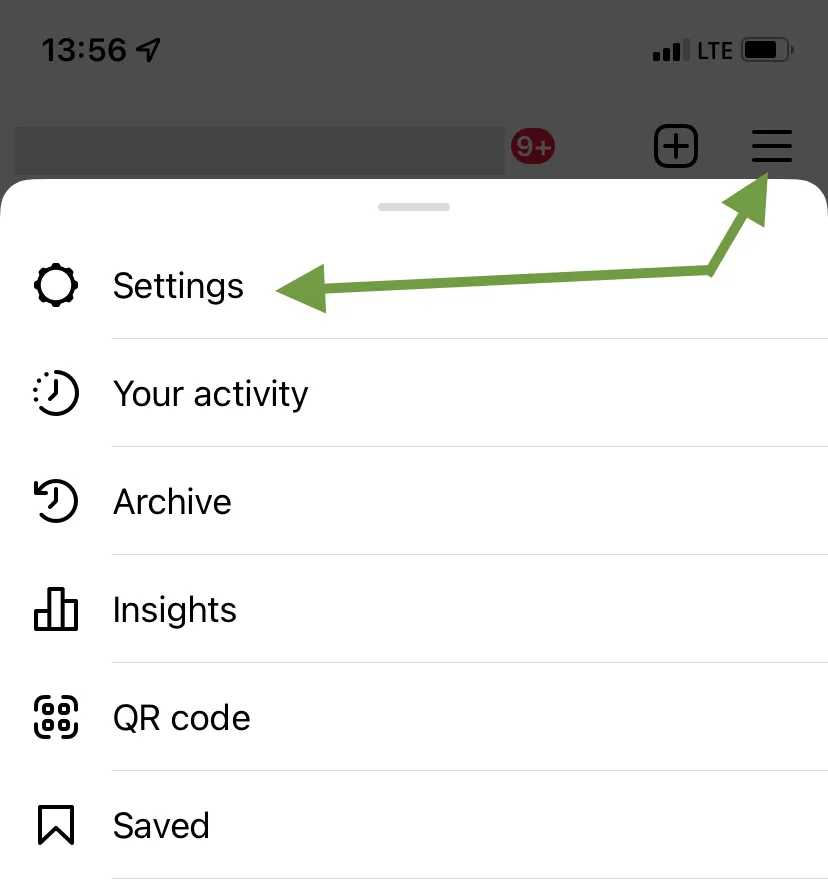
Open Instagram and view your profile. Select the three lines on the top right corner and tap Settings.
Tap Account.
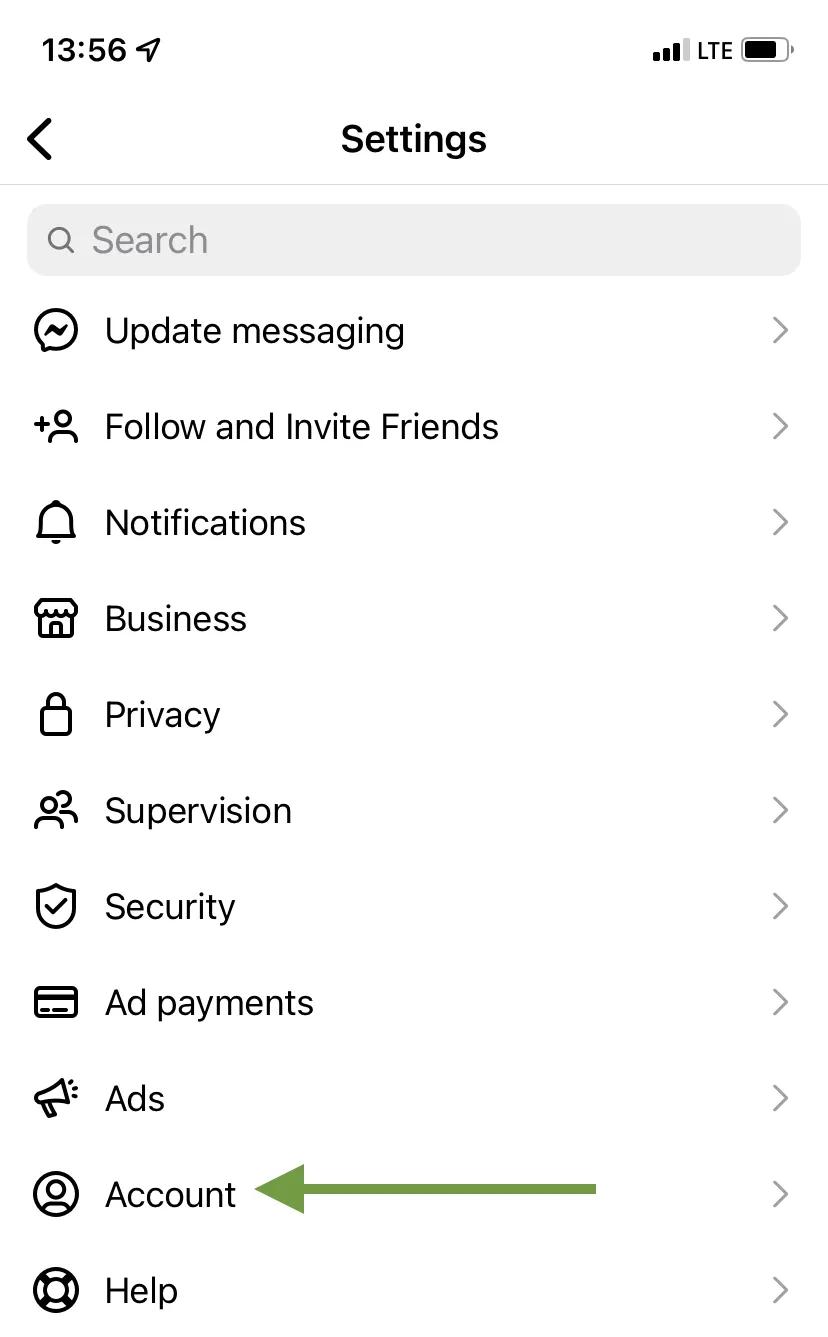
Tap Switch to professional account. Follow the steps to complete the switch.
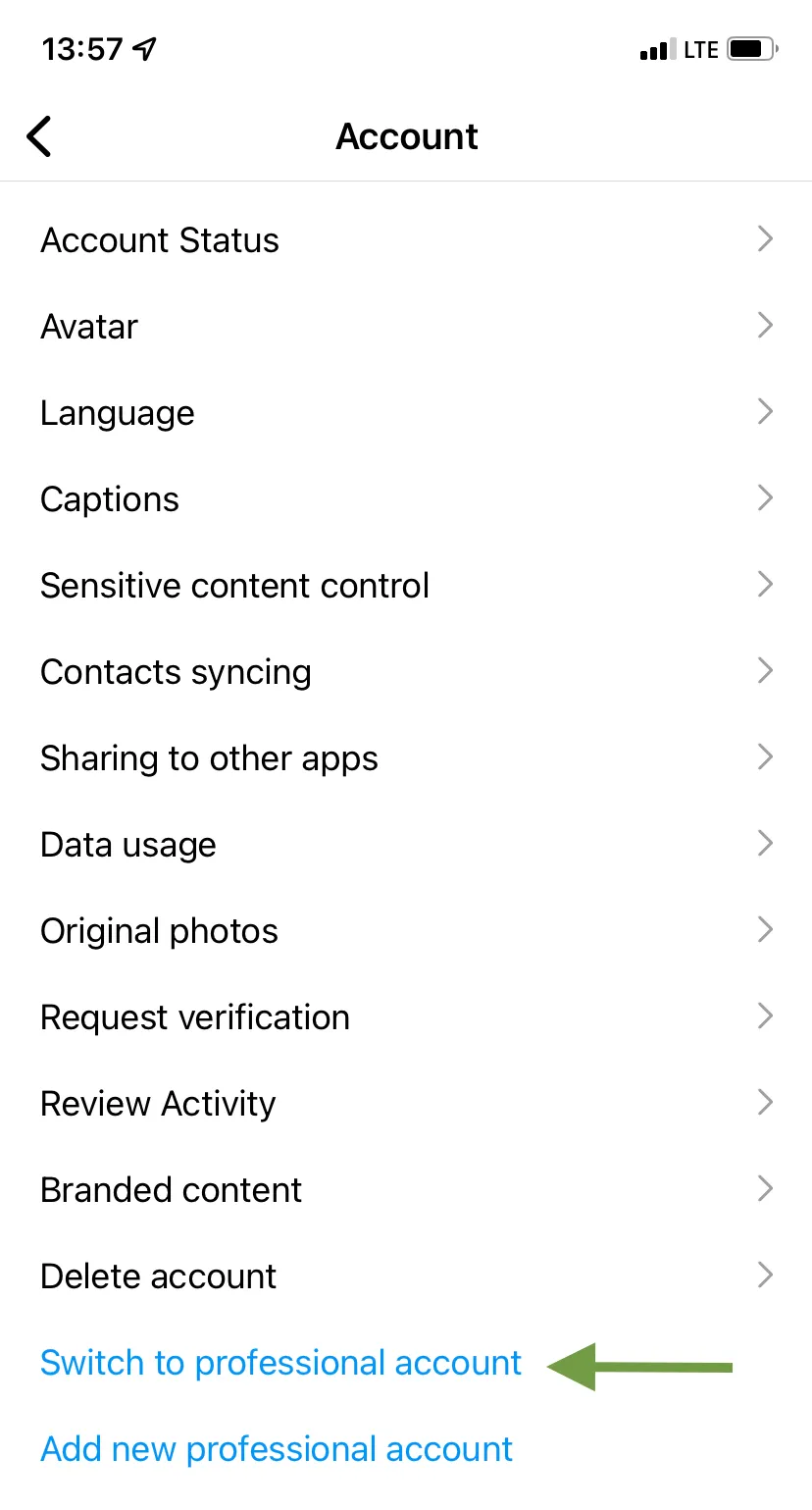
Once the account is a Professional Account, follow the steps below:
Go to Facebook Business Suite. Click the Settings icon (gear) on the bottom left of Business Manager.
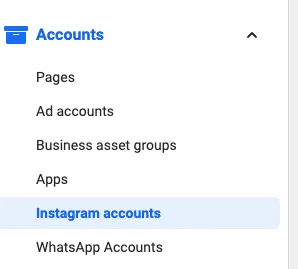
Under Accounts, click Instagram accounts. If you do not see Accounts listed on the left hand side, you may need to click on Business Settings to find the Accounts menu.
Click the blue Add button, then click Connect your Instagram account (you may need to scroll down inside the pop-up box).
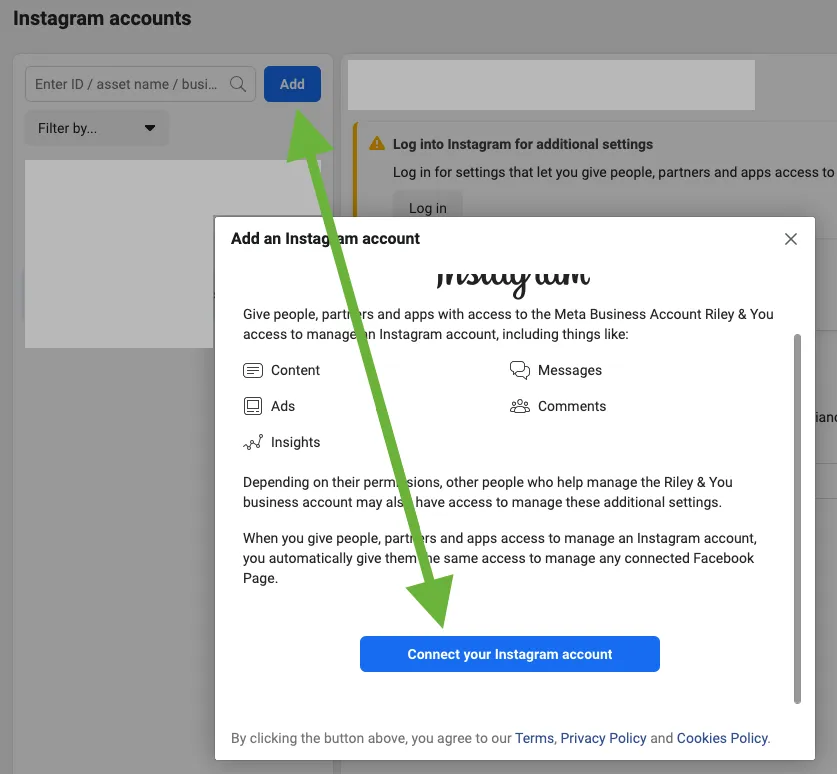
Follow the steps until you reach the Ad Account and Pages selection options. Select your Ad Account and Page to assign to the Instagram account. Click Finish.