
ACCEPT FACEBOOK PAGE ACCESS REQUEST
Many of our digital accounts use our primary business name Riley & You. You may be asked to grant access to either Riley & You or AffluentBridge™, depending on the platform. The following processes will allow us the access necessary to run Facebook and Instagram advertisements for your business.
Check the email associated with the admin of your Facebook page. Follow the steps in the email from Meta for accepting our Facebook Page Access request.
OR
Check the notifications in the page admin’s Facebook account. If there is a notification regarding granting page access to Riley & You – AffluentBridge, click on it and follow the steps to grant access.
If you did not receive an e-mail or notification from Meta, check for your request via these steps:
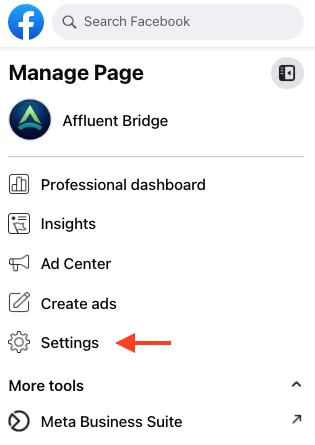
Navigate to your Facebook page then select Settings on the lefthand side.
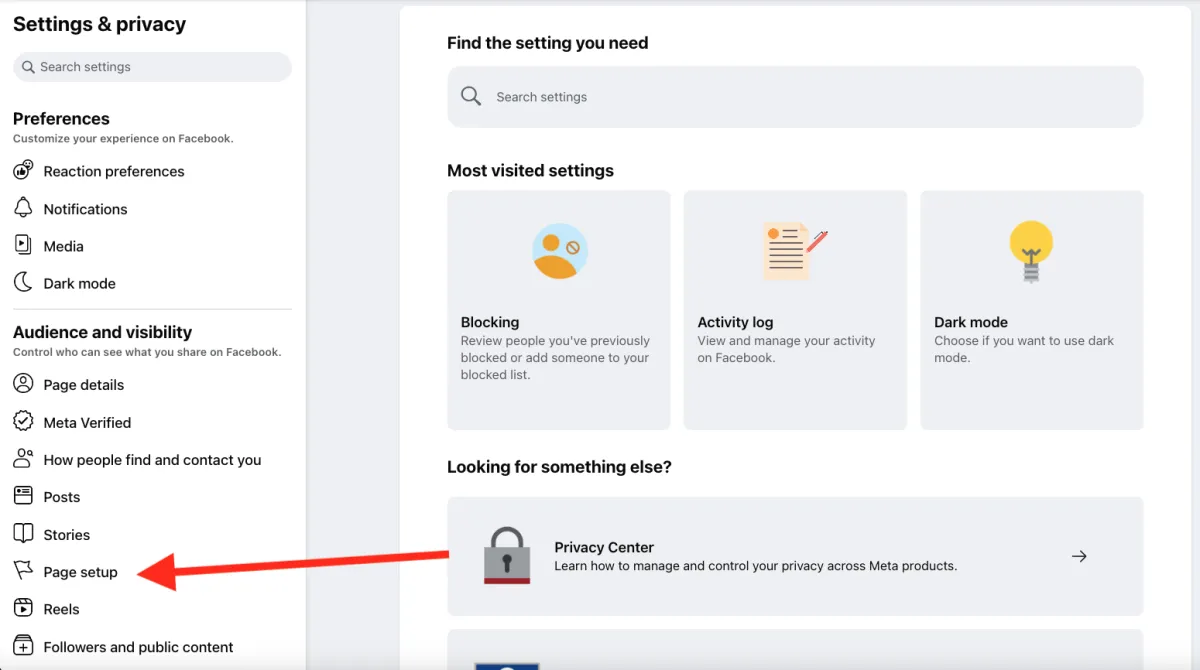
Select Page Setup under Audience and visibility.
Select Page access on the right.
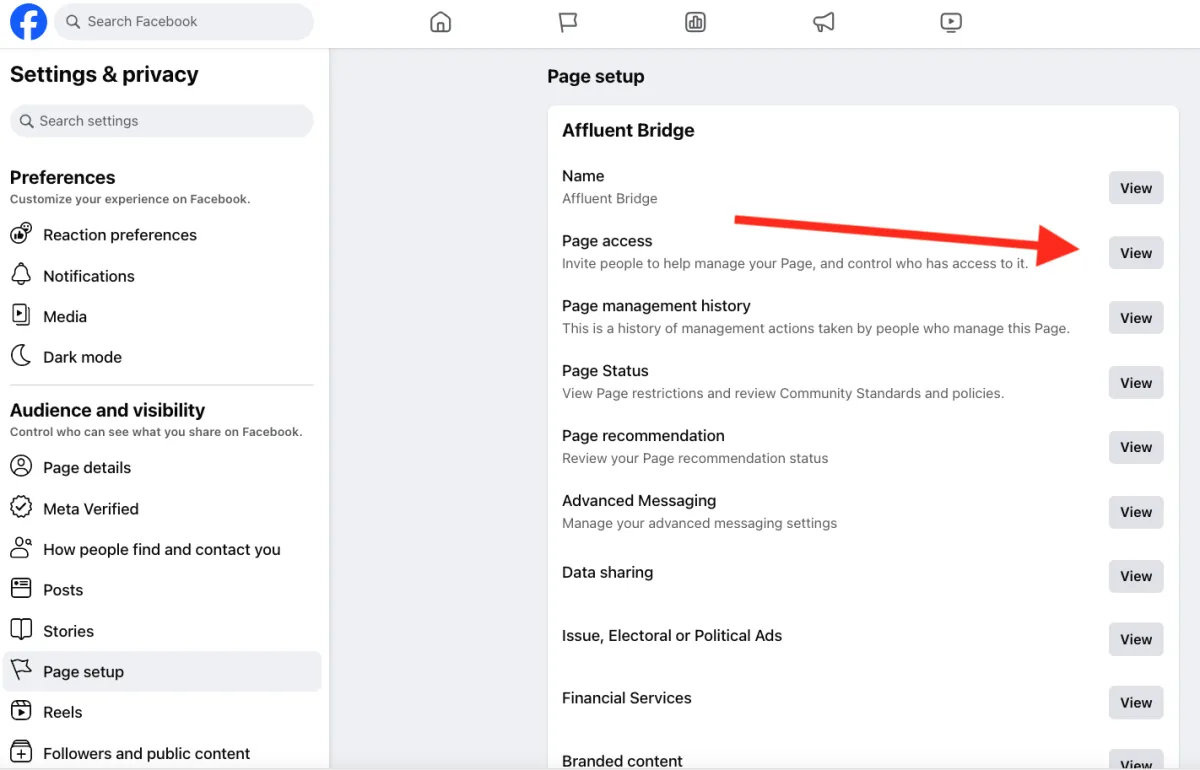
Look for a request from Riley & You – AffluentBridge under the Access settings to the right and follow the steps to approve the request.